GoldenRoo Login and Register Page for Australian Gamblers
Getting a GoldenRoo account consists of different steps, starting from filling out the registration form and inputting all the necessary personal information through confirming the account and verifying it upon request.
After registration, one will be able to sign in using his/her account details and restore access if he/she loses his/her password. Here you will find information about registration requirements, account confirmation and KYC procedure, signing in to the account, password restoration and common issues related to account opening/access.
Account and Registration Requirements
In order to register for a Golden Roo account, one has to click on the Sign Up option, which appears at the top right corner of the page. The registration process requires completion of two processes – the first requires account details, while the second requires personal details. Registration begins at the official webpage, whereby the sign up button is pressed by the user, and other steps are followed.
GoldenRoo Australia Registration Steps
Tap on Sign Up to access the registration window containing tabs of Sign Up and Log In. This stage requires the email address, password and country to be filled, with Australia selected. Also included here is the “Use promo code” toggle switch. The user should confirm that he/she is 18 years and above, agree to the Terms, Privacy and Responsible Gaming Policy, and click on Sign Up.
Upon completion of the form, the registration window shows a “Registration successful!” message in the top right corner. Another window pops up with additional registration details such as name, date of birth, gender, address, city, postcode and telephone number. The Terms mandate that customers register and accept the Terms before utilising the service.
The GoldenRoo casino may also request additional information from the customer following his/her application. Additionally, it is possible for one to enrol using their Google or Microsoft accounts.

Required Information
Registration steps require email, password, country, first name, last name, date of birth, gender, full address, city, postcode and telephone. In the Privacy Policy, contact information is stated to include name, address, telephone and email, and identity information like date of birth and gender. Password strength criteria include:
- one uppercase (A–Z) and one lowercase (a–z) Latin letter;
- numbers and special characters;
- 8-30 characters.
Since there is no username entry, it cannot be included as part of registration. Similarly, the currency of the account is not included. AUD is auto-selected once you pick Australia as your country.
Age, Country and Account Eligibility
The minimum age requirement for GoldenRoo customers is 18 years or any higher legal age required. The 18+ verification field is included in the registration form.
The list of available countries in the country selector section includes Australia. The Terms stipulate that users have to come from jurisdictions where it is legal to gamble online and that it is forbidden to use the service from the list of restricted countries.
It includes Austria, France and its territories, Germany, the Netherlands and its territories, Spain, the Union of Comoros, the United Kingdom, the USA and its territories, FATF member countries, and other jurisdictions that are barred by the Anjouan Offshore Financial Authority.
Account Confirmation after GoldenRoo Sign-Up
Account confirmation and identity verification are two different steps. Account confirmation shows that the user has control over their email address, and KYC is a process of identification and residence verification. When users register, GoldenRoo confirms their registered email addresses using an email confirmation. Alternatively, the casino may contact them directly after receiving their application.
KYC & Identity Verification
Users may get the request for KYC after registering or even later. According to the conditions, verification may be required before gambling and withdrawing money, or it could be done at any other time. The full process of KYC is necessary if lifetime deposits amount to more than 5,000 EUR, if there is a request for withdrawal, or when there is a suspicion of a fraud.
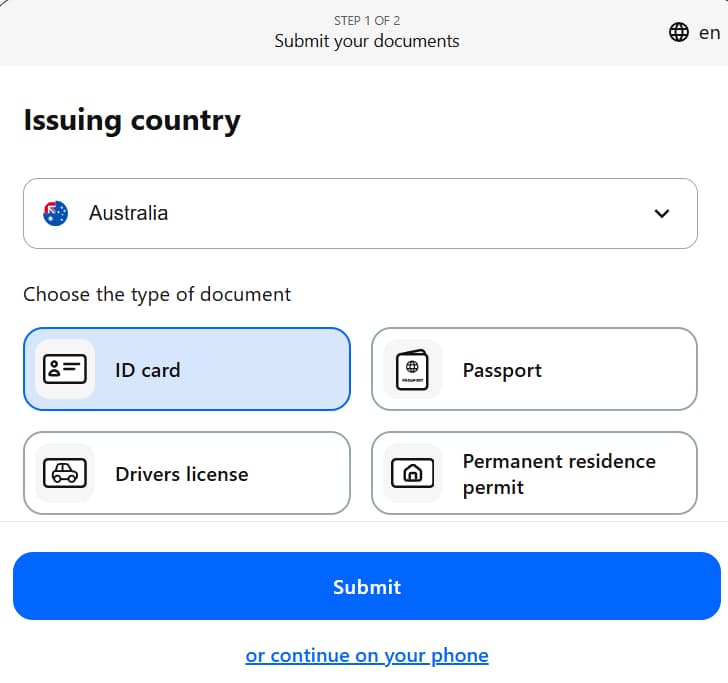
This procedure involves a government-issued ID, a photo of the customer holding this ID and proof of residence in the form of a bank statement or a utility bill. Under the “Profile → Verification” tab, there is a “Verification pending” message if you’re yet to confirm your identity. The same area asks you to submit a passport, an ID card or a driver’s licence.
GoldenRoo verifies whether the ID is that of the customer, whether the full name is correct and coincides with the account one, whether the document is still valid, and whether the customer is of legal age. Proof of residence should contain the same name and be no older than three months.
GoldenRoo online casino carries out simplified, standard and enhanced due diligence as appropriate. If verification fails, the reasons are recorded and communicated.
Login and Password Recovery
After creating an account, users may log in to it using the “Log In” button on the top right side of the GoldenRoo official website. Aussies use the same log-in details to sign in on mobile as well.
Login Window and Credentials
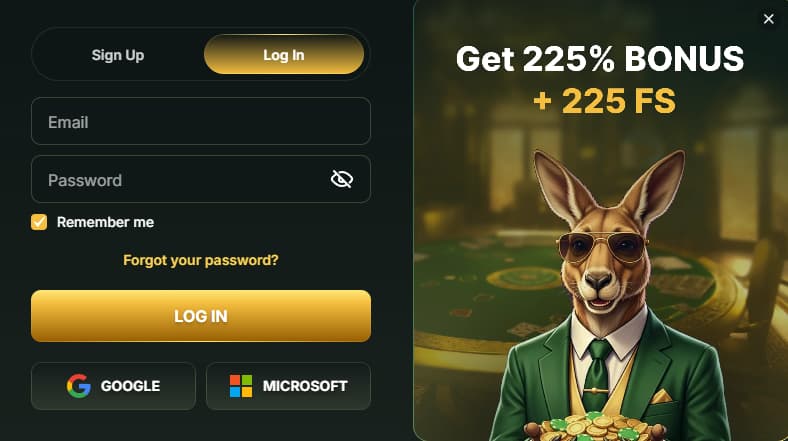
The Log In button is situated in the top-right part of the interface, near the Sign Up button. Clicking the button brings up the window for logging in with the options for entering an e-mail address and password, along with a Remember Me checkbox and the Log In button.
Google and Microsoft buttons also appear as additional options for signing in. There is no 2FA option, but the login window has the option to recover the password with the text “Forgot your password?”.
Upon gaining access to the profile section of the website, the user can see the option for logging out. The user can use the Remember Me checkbox to ask for remembering his/her log-in.
Login on Mobile
Instead of having a separate native Android or iOS application, Golden Roo can be used from the mobile browser and also as a PWA (Progressive Web App). The procedure for login is identical to that of the desktop website:
- Launch the progressive app or use your mobile browser.
- Choose your GoldenRoo login option.
- Enter relevant credentials.
Thus, the mobile version does not need another account or authentication method.
Forgotten Password and Recovery
Clicking on Forgot your password? opens the password reset window. Here, the user needs to enter their registered email, and there will be a message: “Enter your email and we’ll send you a new password.” Thus, the procedure of password recovery includes such steps as choosing the Forgot your password? option, entering the registered email and clicking on Send. A new password will be sent to the email and then used for login.
There is no information about how to solve the problem if the email does not arrive. Similarly, there is no info about the expiration time of the code/reset link/new password. The only solution for solving any problems will be contacting the support team.
Registration and Log-in Issues at GoldenRoo AU
Generally, these problems can be categorised into two types: problems with the registration process and restrictions on the accessibility of accounts. According to the Terms, the company is allowed to disable or terminate any account that violates the terms set by the company.
Registration and Confirmation Issues
In case of rejected registration, ensure that all fields in the form have been filled in, and the email address, personal data and password have been entered according to the requirements provided in the form. An email address that is linked to another account must not be used to create a new account.
GoldenRoo AU allows having one account per client, and multiple accounts can be deleted. As for confirmation issues, always start by double-checking the email address you have used and your inbox.
Locked or Restricted Access Account
Inaccessibility of the account doesn’t imply its immediate closure. Accounts can be temporarily suspended or permanently closed in case of multi-account issues, incorrect/false personal details, missing/failed verification, and/or violation of the Terms.
It means that the following shouldn’t be viewed as the same type of problem: incorrect login and password, temporary access problem, account being verified/reviewed, restricted account, and account closure.
GoldenRoo Account Support
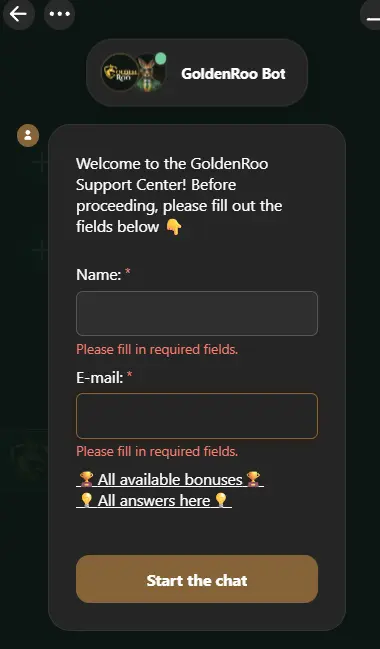
Live Chat is the only communication option available at GoldenRoo AU. It’s AI-first and provides categories such as General, Verification and KYC, Deposits, Withdrawals, Bonuses and Promotions, VIP, and Connect to Operator. General FAQ includes questions related to double accounts, terms and conditions, account closure and changes to personal data.
The customer support may ask you to share your registered email address, details of the account or information about the error. On the contrary, you must NEVER disclose your password, 2FA code, or recovery code.